 Days Left
Android has had home screen widgets for longer than the iPhone has, so you’d expect a countdown to be easy. It is, once you know where to look.
There’s no countdown widget built in, though. The Clock app’s timer is for minutes and hours, and the Google Calendar widget shows dates rather than the number of days in between. So the first step is a countdown app with a proper widget.
I’ll walk through it with Days Left, since that’s the app I make. The general steps work for any widget.
Step 1: add your event
Get Days Left from Google Play, open it, tap +, name the event and pick the date. Birthdays and anniversaries can repeat yearly, which means the countdown starts again by itself the day after. There are quick starts for a birthday, a vacation, New Year, a deadline and an anniversary if you want a head start.
Step 2: add the widget
The fast way, from inside the app
- In Days Left, open Settings and scroll to Home screen widgets.
- Tap + next to the widget you want.
- Your phone asks if you want to add it to the home screen. Tap Add.
That’s it. This works on Pixel phones, Samsung Galaxy phones and most launchers from the last few years. If you don’t see the + buttons, your launcher doesn’t support adding widgets from apps, so use the method below.
The usual way, from the home screen
- Touch and hold an empty part of your home screen.
- Tap Widgets. (On Samsung it’s at the bottom of the screen. On Pixel it’s in the small menu that pops up.)
- Scroll or search for Days Left.
- Touch and hold the widget you want and drag it onto your home screen.
Which widget should you use?
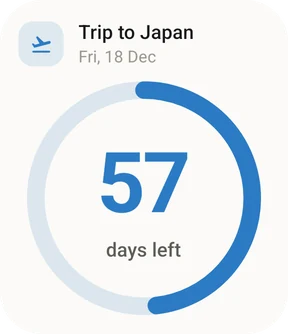
- Countdown is one event, big and bold, with a ring that fills up as the day gets closer. Good if there’s one thing you’re really looking forward to.
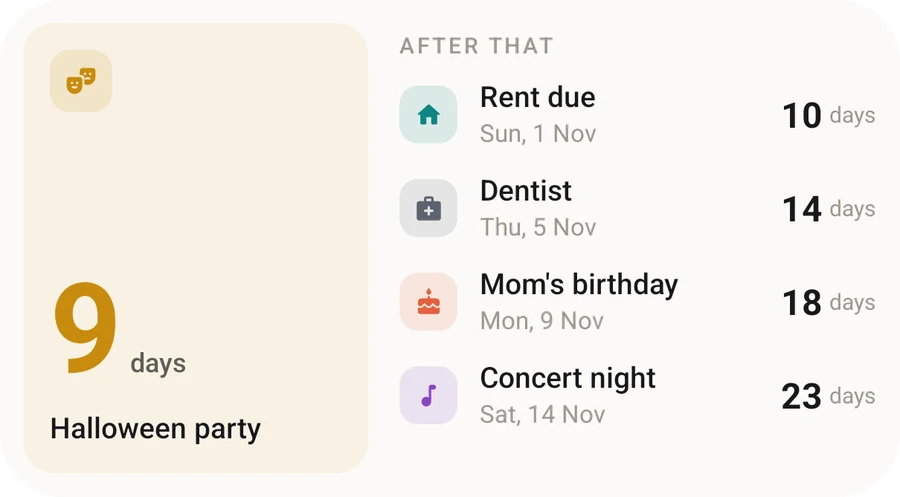
- Up next is a short list of your next few events and the days until each. Good if your life is a series of small deadlines.
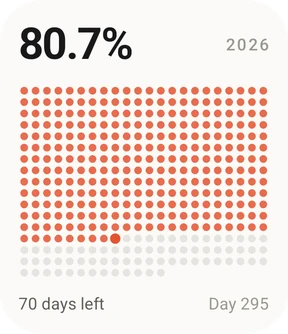
- Year progress shows how much of the year has gone. It’s a strangely effective nudge, especially in the autumn.
The Countdown widget shows your pinned event. If you haven’t pinned anything, it shows whatever comes next. So if you want your holiday on the home screen rather than Thursday’s dentist appointment, open the holiday in the app and pin it.
Resizing it
Touch and hold the widget until a border with little handles appears, then drag the edges. All three widgets resize, and the Up next list shows more events when you make it taller.
If your reminders don’t arrive
This isn’t a widget problem, but it’s the most common reason a countdown app seems broken on Android, so it’s worth covering here.
Some phones are very aggressive about saving battery and quietly stop apps from running in the background. That can delay or block reminders. A few things to check:
- Notifications are on for Days Left in your phone’s Settings → Apps → Days Left → Notifications.
- The event actually has a reminder set. (It’s easy to add an event and skip that bit.)
- Battery usage for Days Left is set to Unrestricted. On Samsung it’s under Apps → Days Left → Battery. On Pixel it’s Apps → Days Left → App battery usage.
The countdown itself works offline and doesn’t need any of this. The widget updates on its own, and the number ticks over each day without you opening the app.
On an iPhone as well? The steps are different there, and you can put a countdown on the Lock Screen too. Here’s the iPhone countdown widget guide.
A small suggestion
Put the widget somewhere you’ll actually see it. The first page of your home screen, next to the apps you open most. A countdown tucked away on page four is just a number. On your main screen it becomes the small thing you smile at when you unlock your phone, and that’s the whole point.
Quick answers
Does Android have a built-in countdown widget?
Not one that counts days. The Clock app's timer is meant for minutes and hours, and the Google Calendar widget shows dates rather than how many days are left. A countdown app like Days Left adds the widget.
How do I change which event the countdown widget shows?
In Days Left, the Countdown widget shows your pinned event, or the next upcoming event if nothing is pinned. Open the event you want and pin it.
Can I make the countdown widget bigger?
Yes. Touch and hold the widget until handles appear around it, then drag the edges. All three Days Left widgets can be resized.
Why are my countdown reminders late on Android?
Some phones pause apps in the background to save battery, which can delay notifications. Setting Days Left's battery usage to Unrestricted in your phone's app settings usually fixes it.